Never have an
empty chair
again.
Post cancellations to your WhatsApp Channel, share it on social media, and keep every chair filled
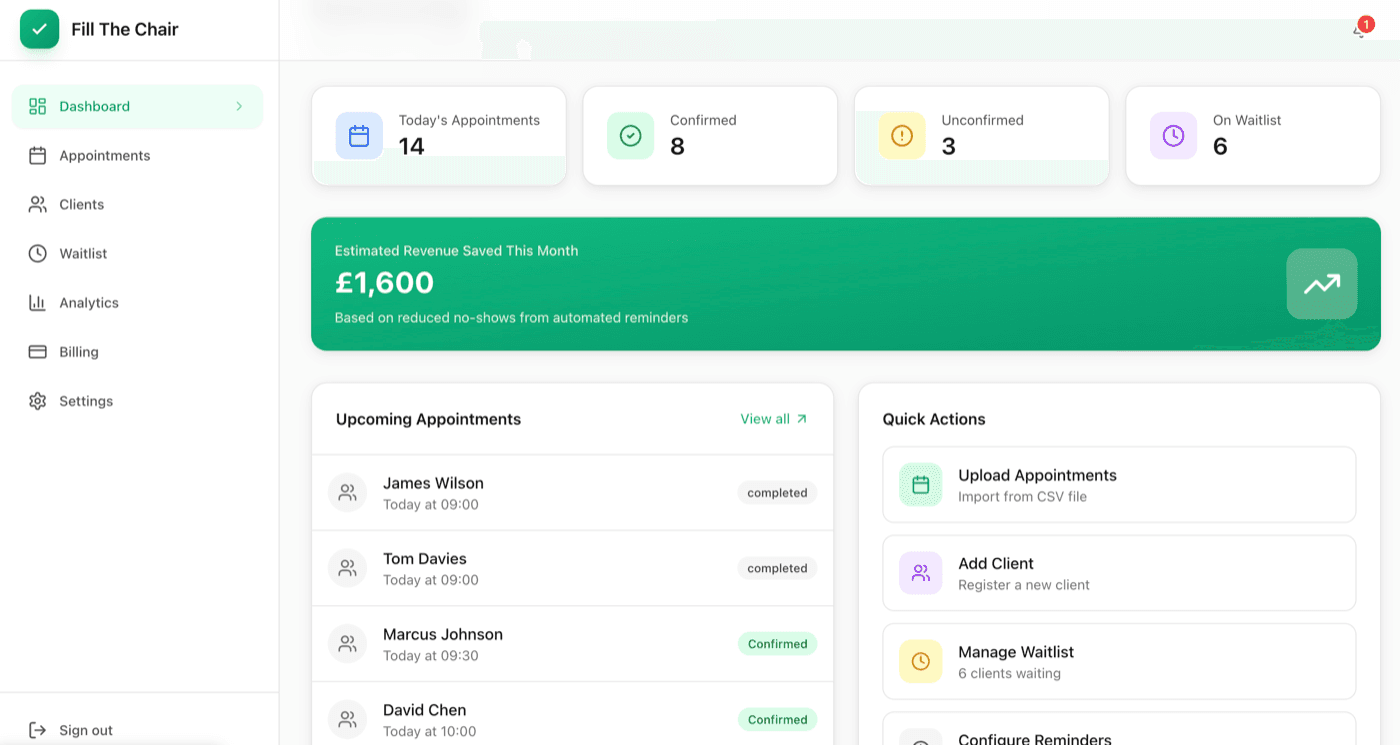
Trusted by salons across the UK
Average saved per filled slot
Fill rate with waitlist
Fewer no-shows
To fill a cancelled slot
Empty chairs add up fast
Last-minute cancellations leave gaps in your schedule
Staff waste hours making calls to fill slots
No-shows mean lost revenue you can't recover
No easy way to broadcast openings to potential clients
Fill every slot automatically
Cancellations posted to your WhatsApp Channel automatically
Share your channel on Instagram, Facebook & TikTok - anyone can claim a slot
First-come, first-served claiming - no staff time needed
Automated reminders slash no-shows by 40%
From cancellation to confirmed
in under 2 minutes
Client Cancels
When a client cancels their booking, the slot is instantly posted to your WhatsApp Channel.
Followers See It
Your WhatsApp Channel followers - shared across your social media - see the available slot and tap to claim it.
Client Claims
First person to tap the link gets the booking. No phone calls, no back-and-forth.
Chair Filled!
The booking is confirmed automatically. Another slot saved!
Everything you need to fill
every chair
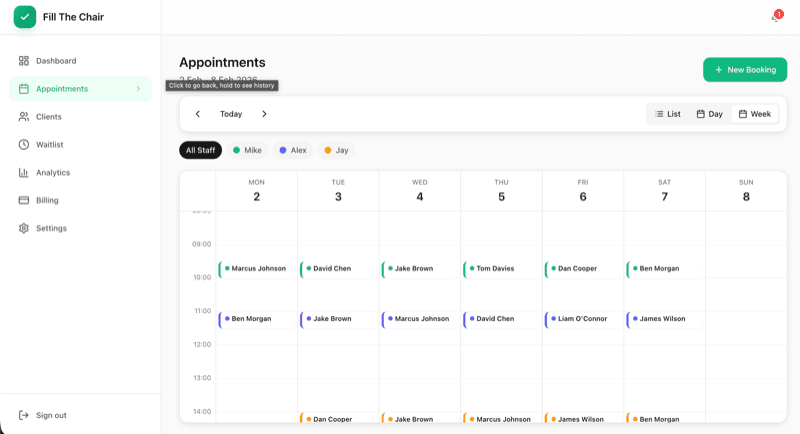
Smart Calendar
Beautiful week and day views with drag-and-drop scheduling.
Automated Reminders
WhatsApp, SMS & email reminders at 7 days, 2 days, and 24 hours.
WhatsApp Channel
Cancellations posted to your channel instantly. Share it on socials and fill slots fast.
Revenue Analytics
Track saved revenue, fill rates, and appointment trends.
Custom Branding
Your logo, your colors on client-facing pages.
CSV Import
Migrate from any system in minutes with smart mapping.
Powerful Analytics
Track revenue saved, fill rates, and appointment trends.
Real-time Notifications
Stay on top of everything with instant alerts.
Waitlist slot filled!
Sarah claimed the 10:30am slot
Booking confirmed
James Wilson confirmed for Thursday
New booking
Emma Thompson - Haircut
Loved by salons
“We used to lose so much revenue to last-minute cancellations. Not anymore!”
Sophie Williams
Glow Salon, London
“The instant waitlist notifications are brilliant. Our stylists are always busy now.”
Emma Roberts
Style Studio, Leeds
“Finally, booking software that doesn't cost a fortune but does everything we need.”
Lisa Chen
Luxe Beauty Salon, Bristol
Simple, transparent pricing
Fill just one cancellation a month and it pays for itself.
Salon Plan
All features. No limits. One filled slot covers it.
- Unlimited clients
- WhatsApp Channel for cancellations
- Share on Instagram, Facebook & TikTok
- Automated reminders (WhatsApp, SMS & email)
- Online booking page
- Full analytics dashboard
- No-show prediction AI
- Client engagement automation
- Multi-user team access
- Custom branding
- Priority support
No credit card required • Cancel anytime
Common questions
How quickly can I get started?
You can be up and running in under 10 minutes. Simply sign up, import your clients via CSV, and start managing your waitlist immediately.
Is my client data secure?
Absolutely. We use bank-level encryption, store data in UK data centers, and are fully GDPR compliant. Your client data is never shared with third parties.
Can I import from my existing system?
Yes! We support CSV imports for both clients and bookings. Our smart mapping tool makes migration painless, regardless of your current system.
What happens when my trial ends?
After your 7-day free trial, you'll continue at just £19.99/month. Fill just one cancellation and it's already paid for itself. Cancel anytime.
How does the WhatsApp Channel work?
When a booking is cancelled, the available slot is posted to your WhatsApp Channel. Share your channel link on your social media (Instagram, Facebook, TikTok) so anyone following you can see and claim the slot - no phone calls needed.
Can I customise the client-facing pages?
Yes! Add your logo, brand colors, and custom messages to all client-facing pages including booking confirmations and waitlist offers.
Ready to fill every chair?
Start your 7-day free trial today. Post your first cancellation to WhatsApp and watch it get filled.
Get started free